
Overview
Toilet Paper Organizer
Development of a product proposal for the home in the bathroom, kitchen, or bedroom line for Betterware
Project
Product Design
Date
Ago-Dic 2020
Duration
5 weeks
Team
Individual
Client
Betterware
UX Case Study
Toilet Paper Organizer
Problem Statement
I decided to focus on a product for the bathroom line. My challenge was to create a product that offers the possibility of optimizing space within Mexican families' bathrooms, aiming to improve its organization with a practical and easy-to-use product.
Solution
A simple and small toilet paper organizer that is adaptable to the needs of every household.
The new website explains the concept of Murall and reassures that their community celebrates diversity and is open for everyone. Users can read news articles, share experiences, discover local artists and be updated about upcoming events.
Final Design & Key Elements
Interactive Calendar
-
Prepare in advance, discover all the events planned fot the year
-
See more details with just one click
Positive Community
-
Show the art made in class
-
Share your experience
-
Encourage others to join
Stay Informed
-
"Cut to the chase" information
-
Discover multiple news in minutes
Art Everywhere
-
Discover new local artists
-
Get your art published
-
Feel welcomed and included
Live RN!
-
Preview livestream
-
Click to join
Step 1
Research
Summary
This was my first time designing a website from scratch. As part of my class project, Murall partnered as a client and my classmates and I had the individual challenge of designing a proposal for their website. My strategy was to focus on the goals the client established and to understand the user’s point of view.
Key Questions
!) How can we represent Murall and the members of the community?
!) How can we make new users want to join the events?
!) Is there a factor that makes them think twice about joining?
Users
Young adults (many of them students and recent grads) that live in Monterrey and have some sort of interest in art.
Understanding Users
Observation
I explored and compared the profiles of the users that follow Murall on social media.
Goal: Find similarities and differences between both profiles
Interviews
I conducted 5 online interviews with college students persuing different majors.
Goal: Understand tech familiarity, likes, dislikes and opinion towards websites and Murall.
Empathy Exercises
In order to empathisize with the users, I developed empathy maps and creting different personas representing the user profiles.
Key Findings
There are two types of users. I will refer to them as creatives (artistic background) and non-creatives (different background).

Insights
New users do not have enough information about Murall. There is not a clear message nor a portrayal of their community. This leads to unsolved assumptions and confusion.
Pain Points
Lack of information
Busy lives
Confusion
Needs
Detailed information
Reassurance
Representation
Goals
No doubts
Community
Confidence
Step 2
Ideation
Decluttering ideas
Many ideas got scratched off after analysing the results. I needed to focus on the priorities and establish possible solutions. With the knowledge obtained from the research and empathy exercises, I worked with the following questions:
!) What do users need to see and read?
!) How would users feel about a certain idea?
!) Could something be confusing?
!) Will this idea add any value for them?
Sketches
In order to explore the solutions, I designed a couple of screen ideas that helped me express what I had in mind visually. I prefer to include text in my sketches, to get an overall idea of how it will look on the layout.
I like to design multiple versions of the same screen, put them all together in a canvas, zoom out and see how they look as a bigger composition.

Wireframes
After selecting my favorite, I explore specific details and features. I try to make wireframes more polished than the sketches but still low fidelity.
*Turns red
when streaming
Concept explanation

Team introduction
*Murall wanted to link their Twitch channel to the website
Show al events for the month
Scroll straight to FAQ section

Plan on time for future events
Event details
Summerized information

Discover other news quickly
Image as the background
Event reviews

*Art made in Murall events
*I used real illustrations for the testing
Step 3
First Testing
I had no previous knowledge in figma. I made the first protype using Canva. I wanted to represent my ideas quickly to begin the first testing while figuring out how to use figma with the goal of developing the final prototype based on the results of this phase.
Method: Five zoom interviews
Questions: Visuals & Navigation flow
Good
Meh
Ideas
-
Users understood the news section
-
Users loved that there are many visuals
-
Users liked saving time with FAQ button
-
FAQ button is not clear at first
-
Doesn’t look artistic enough
-
Questions about the authors of pictures
-
Red button doesn't mean livestream for everyone
-
Calendar-like format
-
Add email in case of more questions
-
Emphasize the livestream button
-
Link pictures to artists’ social media
Step 4
Changes based on feedback
Solution #1: Represent the members of the community


How can someone want to join a community if they don’t know anybody?
It’s important to let future users see all the diverse profiles that are part of Murall.
All the visuals are now art made by users, no matter their skill level or style. In order to promote discoverability, artists are tagged in their artwork.
Solution #2: Make reviews more special


I wanted to design a review section but make it different. My goal was to encourage new users to join events, give them an extra push or wake up an interest to participate in a specific event. In this section, users can review a specific event and instead of uploading a picture of themselves, they can upload a picture of the art they made.
Solution #3: Let users read more quickly
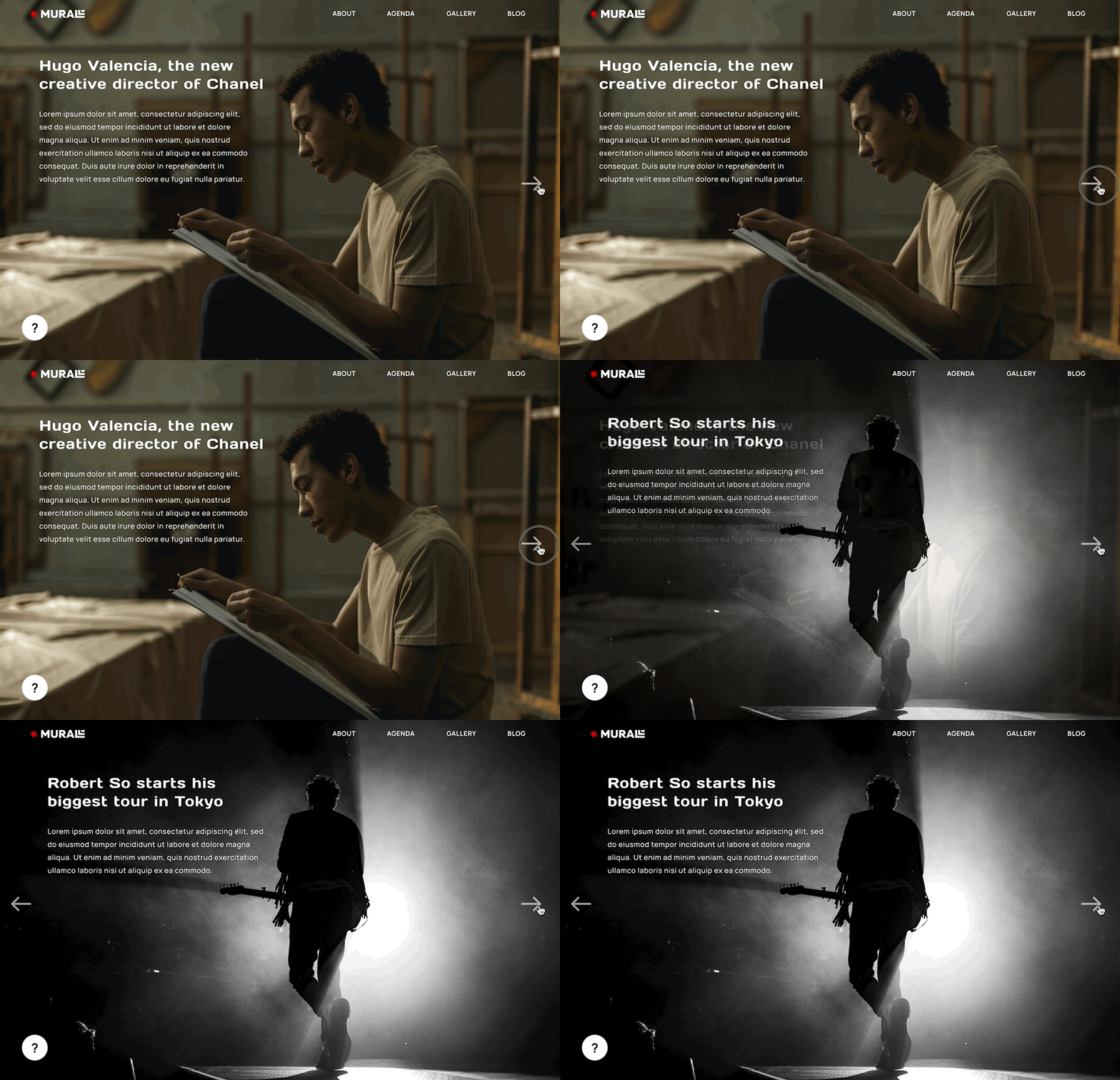
If users always skim long texts, why not just show the important information?
Making articles brief allows users to read more in less time, to implement this even more I designed the blog section in a carousell format, no preview just read next and stop till you want.
Solution #4: Simple calendar format

Each month, Murall hosts four events. Using a very common calendar format to display the events allows users to see all that is planned for the month, not only the general information but also the details of each event. The calendar formaty allows users to plan ahead as they can see all the upcoming events.
Solution #5: Show previews to avoid confusion
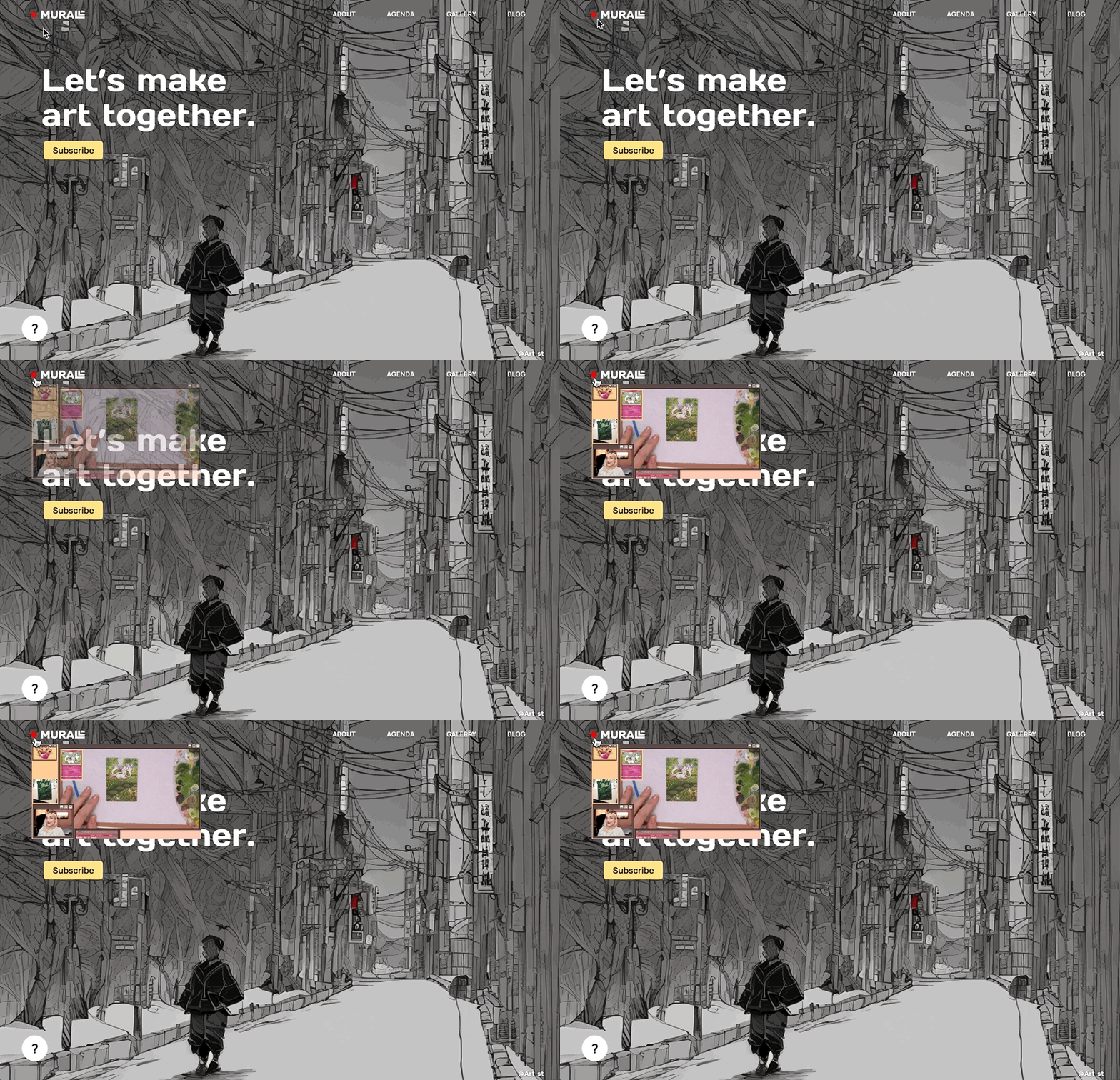
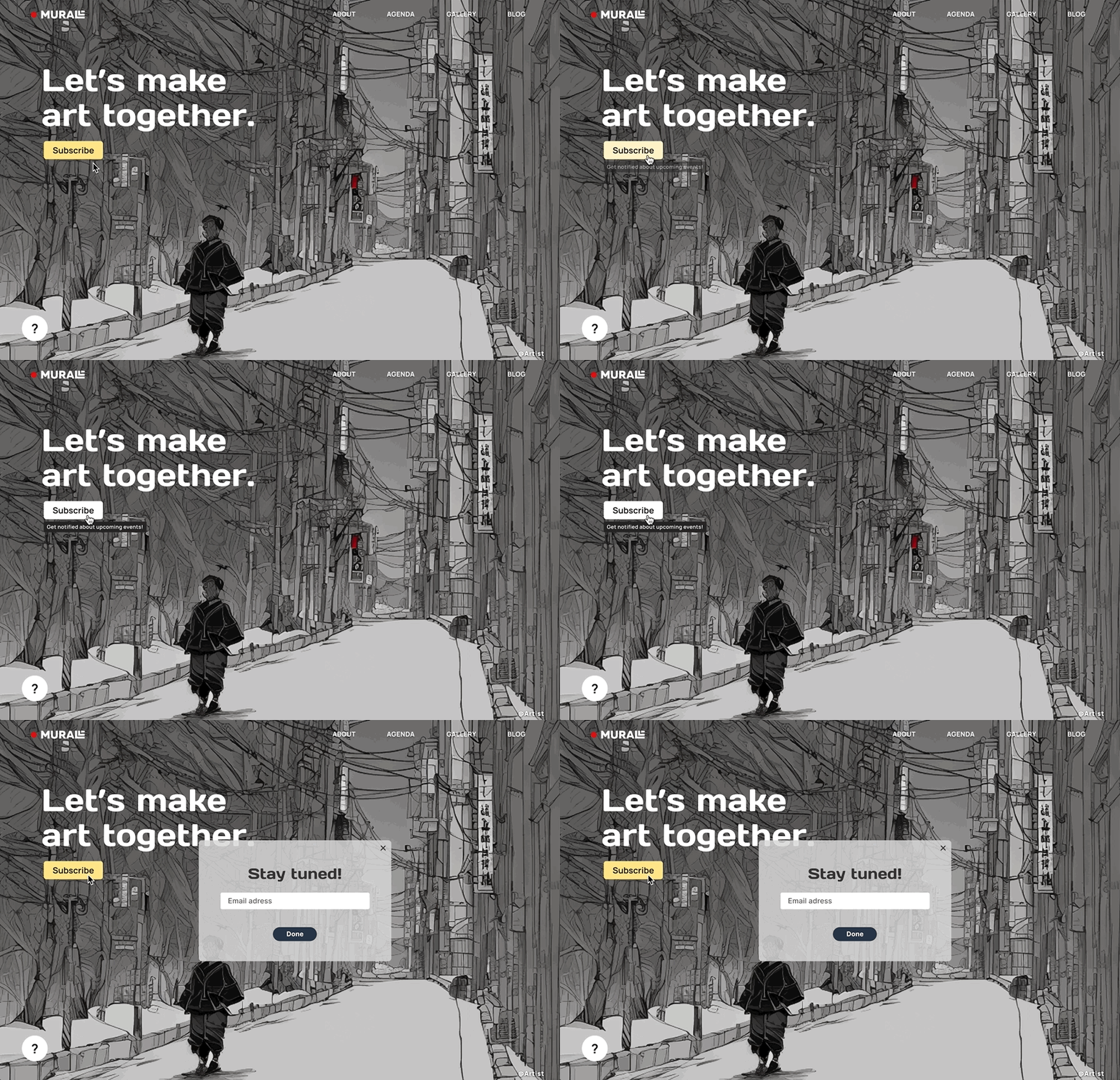
During the first testing, some users had trouble understanding what some elements meant or how they worked. To solve this, I added some small messages and previes
Step 5
Final Design
Second Testing
For the final design, I created an interactive protype in figma and had three virtual interviews. The feedback was really positive and none of the issues encountered during the first testing were mentioned again. I would say they were fixed yei!

Takeaways
Being super honest, my biggest mistake is how much time it took me to design the ui layout. I really focused on making the experience enjoyable for users, but I had a hard time representing my ideas visually, I had zero previous knowledge about figma and general ui guides.
My best decision was definitely interviewing different profiles, our conversations gave me different perceptions and it made the solutions I came up with more real and not particular to just one profile.